

Bidding out work to subs (reverse auctions)
Updated September 20, 2026
Instead of calling around for prices, broadcast a job to your subs and let them bid. Bids are sealed — you see every bid, each sub only ever sees their own — with an optional max price (a hard cap bids can't exceed) and an optional timed close. Award whichever bid you like; awarding assigns the job to the winner at their price automatically.
Broadcasting a job
From any job, open the Subs card and choose Broadcast for bids. Trade-matched subs from your rolodex come pre-checked; add or remove anyone. You can also narrow what's being bid on by picking specific tasks from the job — the selected tasks become the scope your subs price, and when you award, the winner gets exactly those tasks, not the whole job.
- Subs on Trusso get a push and bid in the app.
- Everyone else gets an email and text with a private bid link — no account or login needed.
- While bidding is open you can invite more subs, resend an invite, remove a sub, or extend the close time.
What your subs see
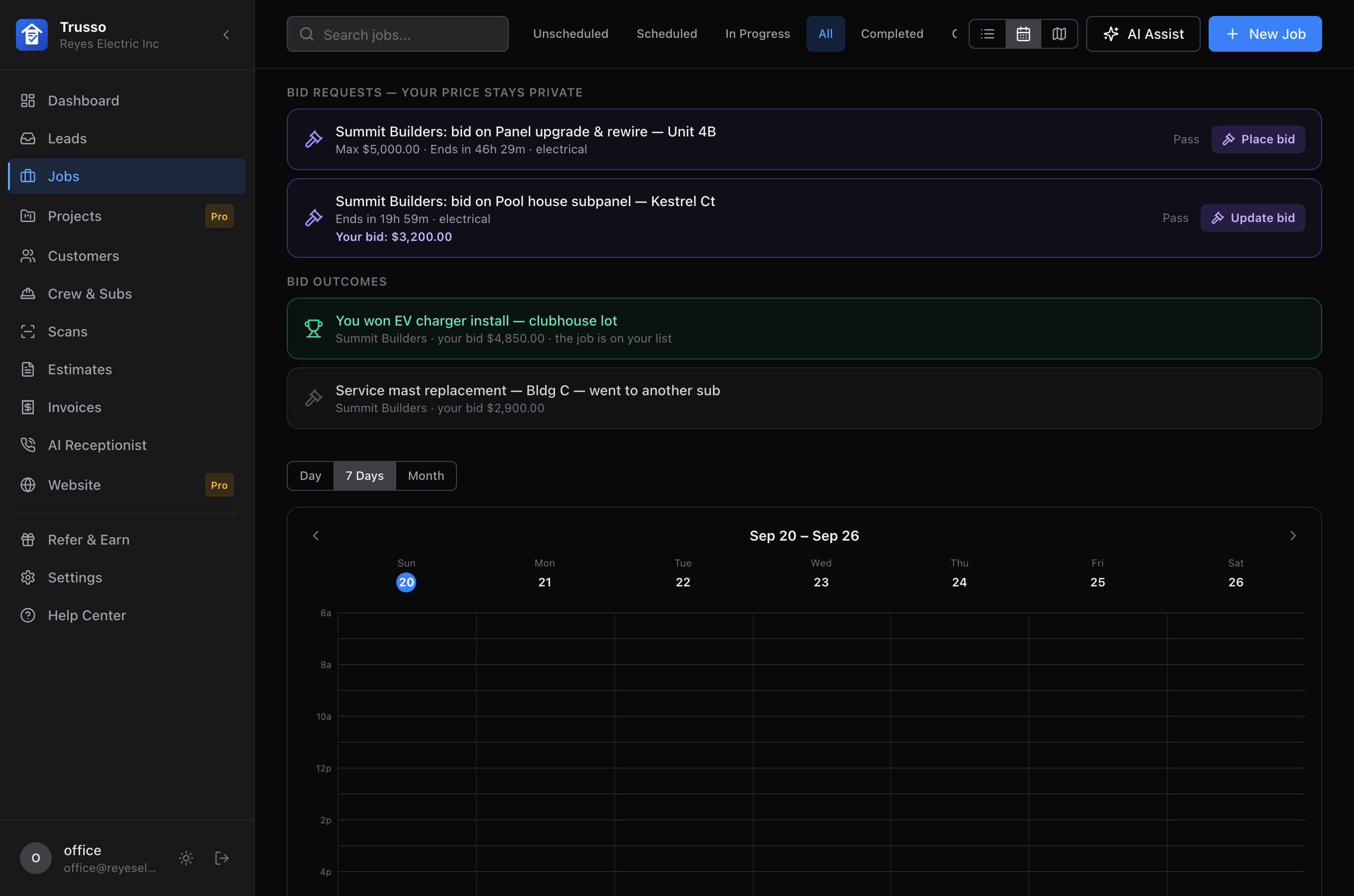
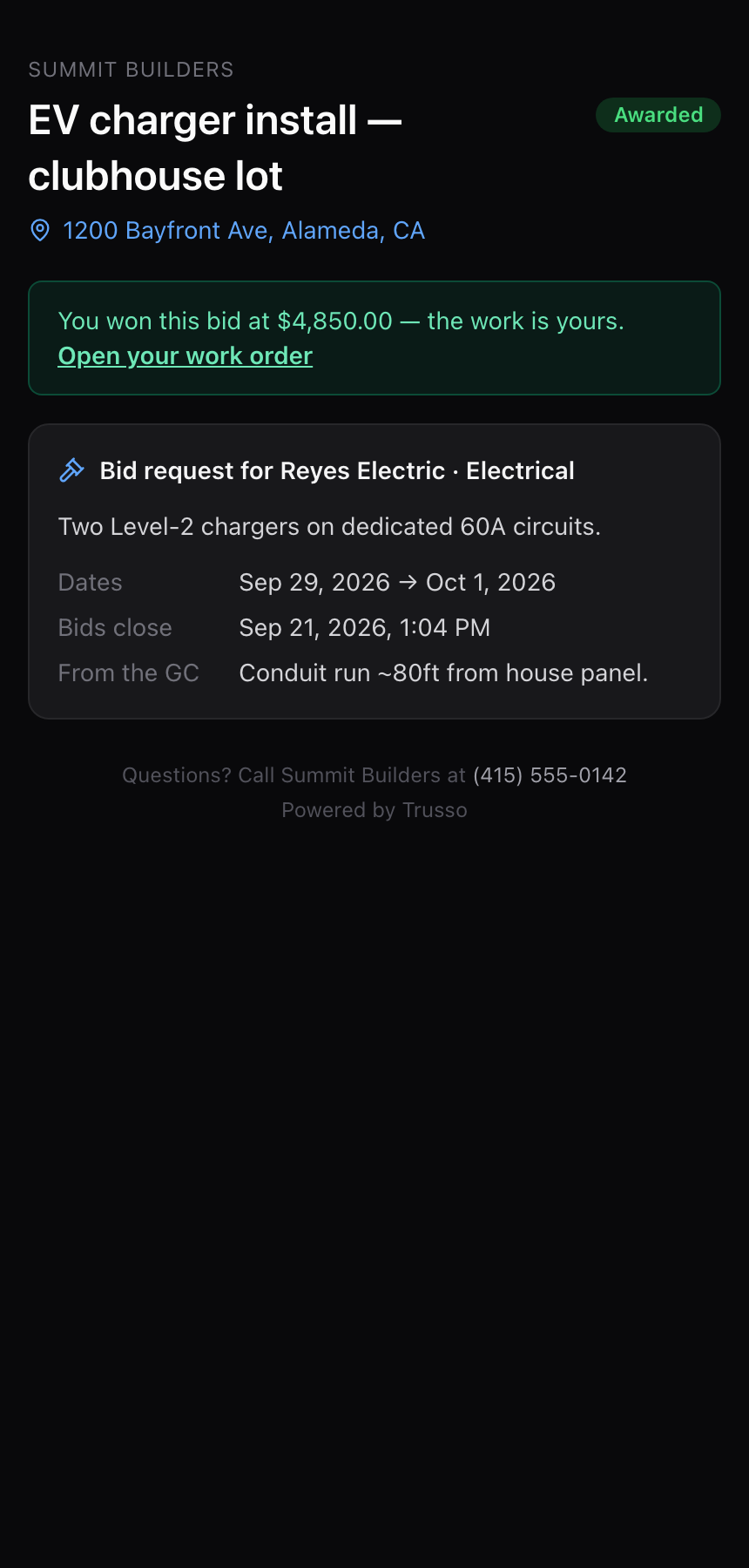
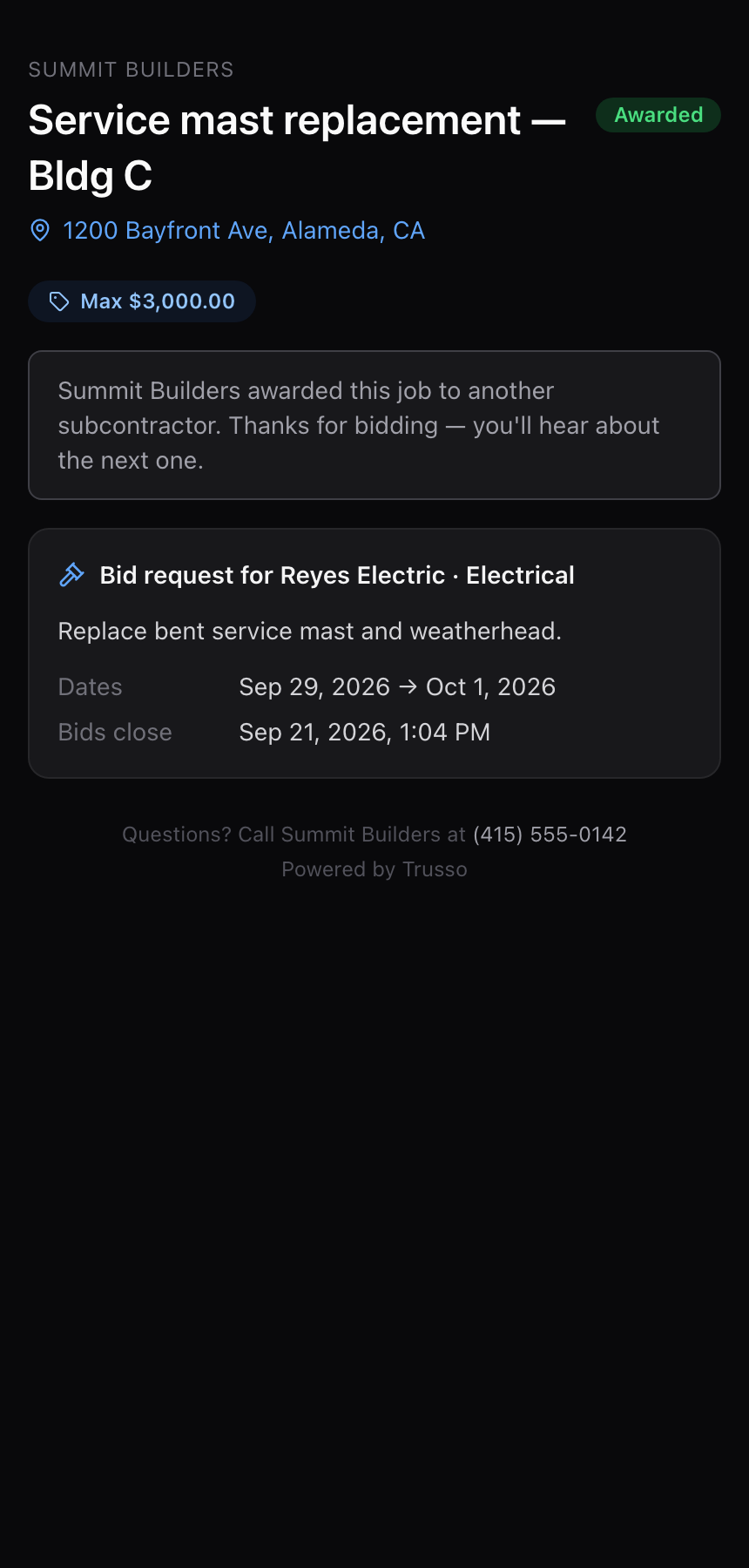
An invited sub on Trusso sees the request on their Jobs page, alongside the outcome of past bids:
Subs invited by email or text land on the bid page — the job details, your max price, the countdown, and the scope you selected:
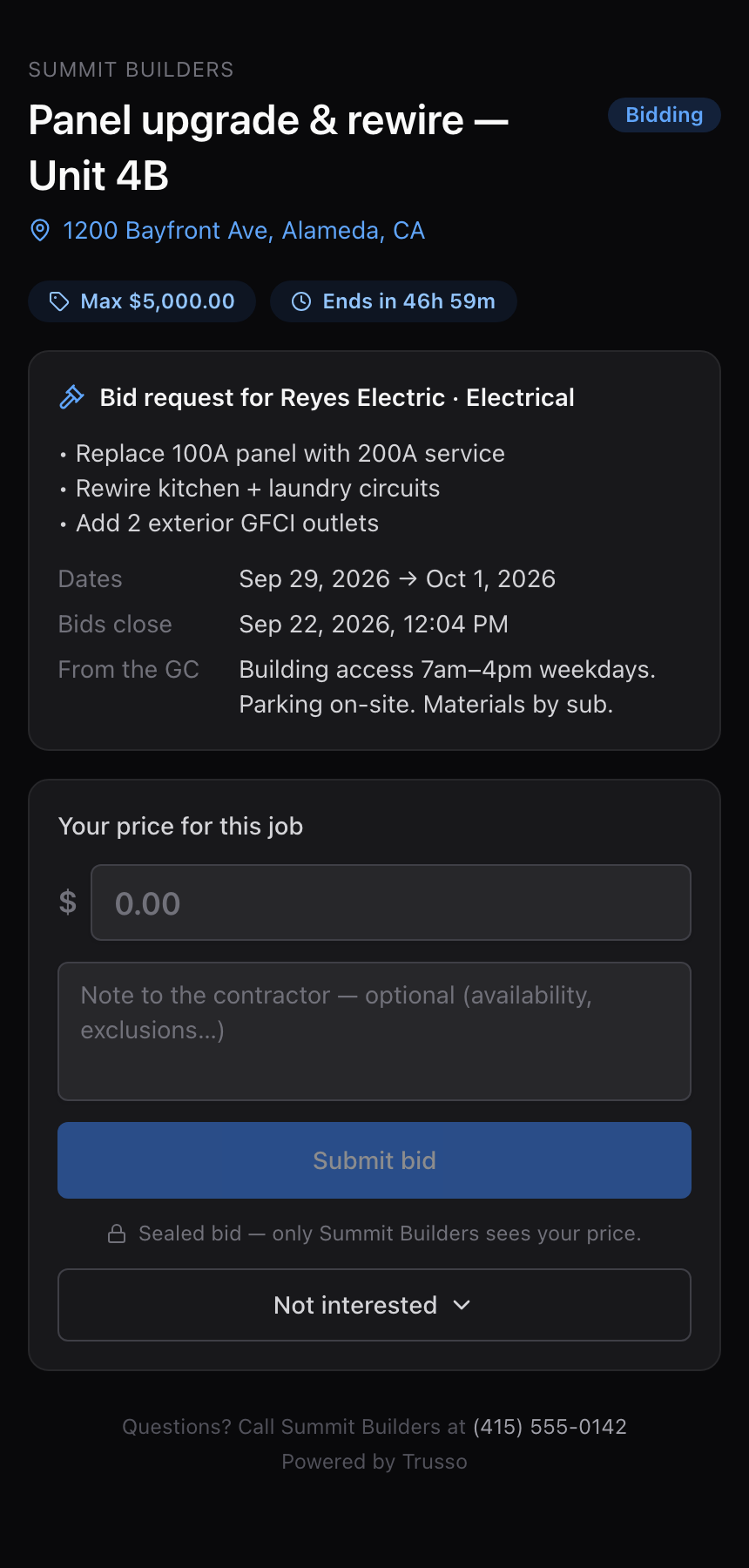
How bidding works for the sub
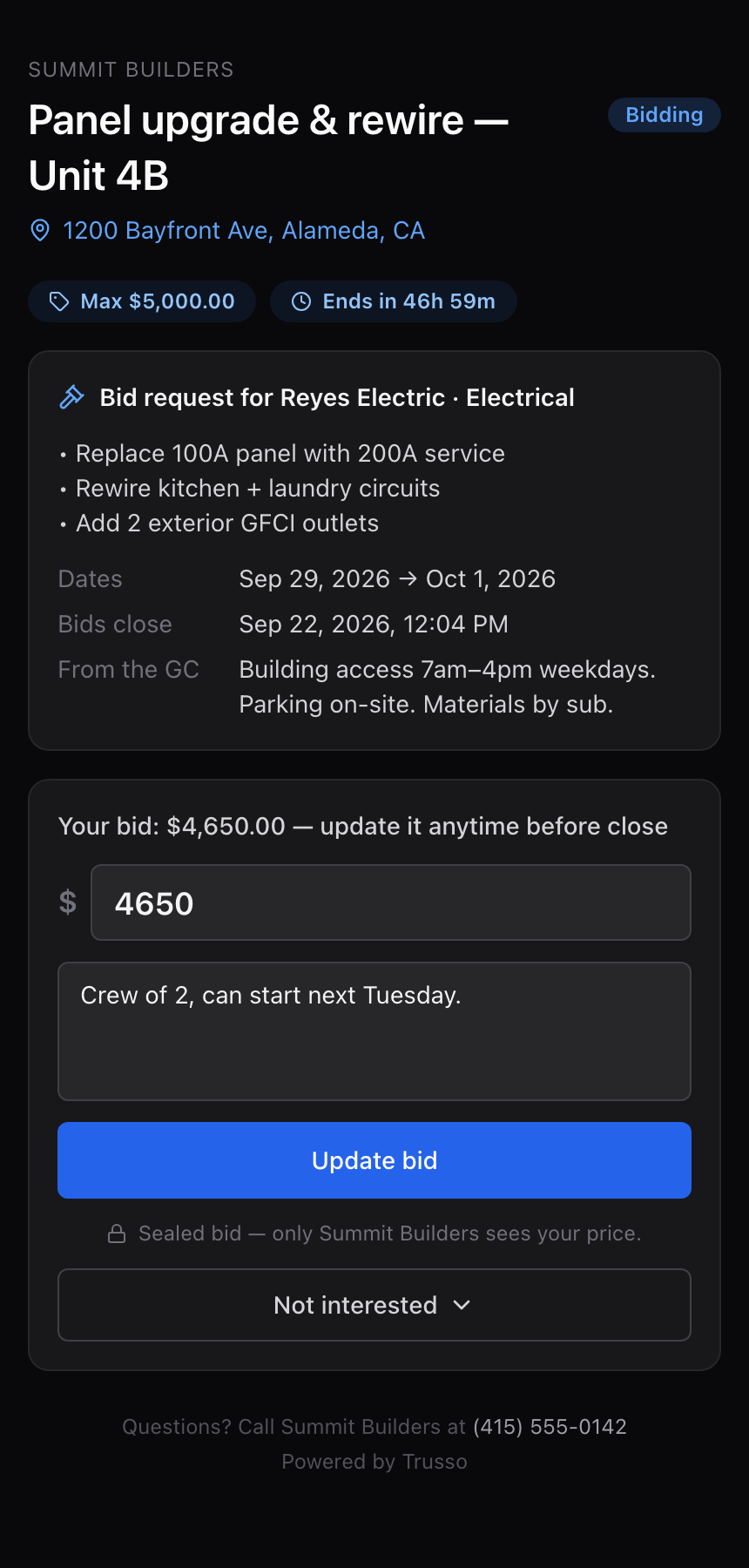
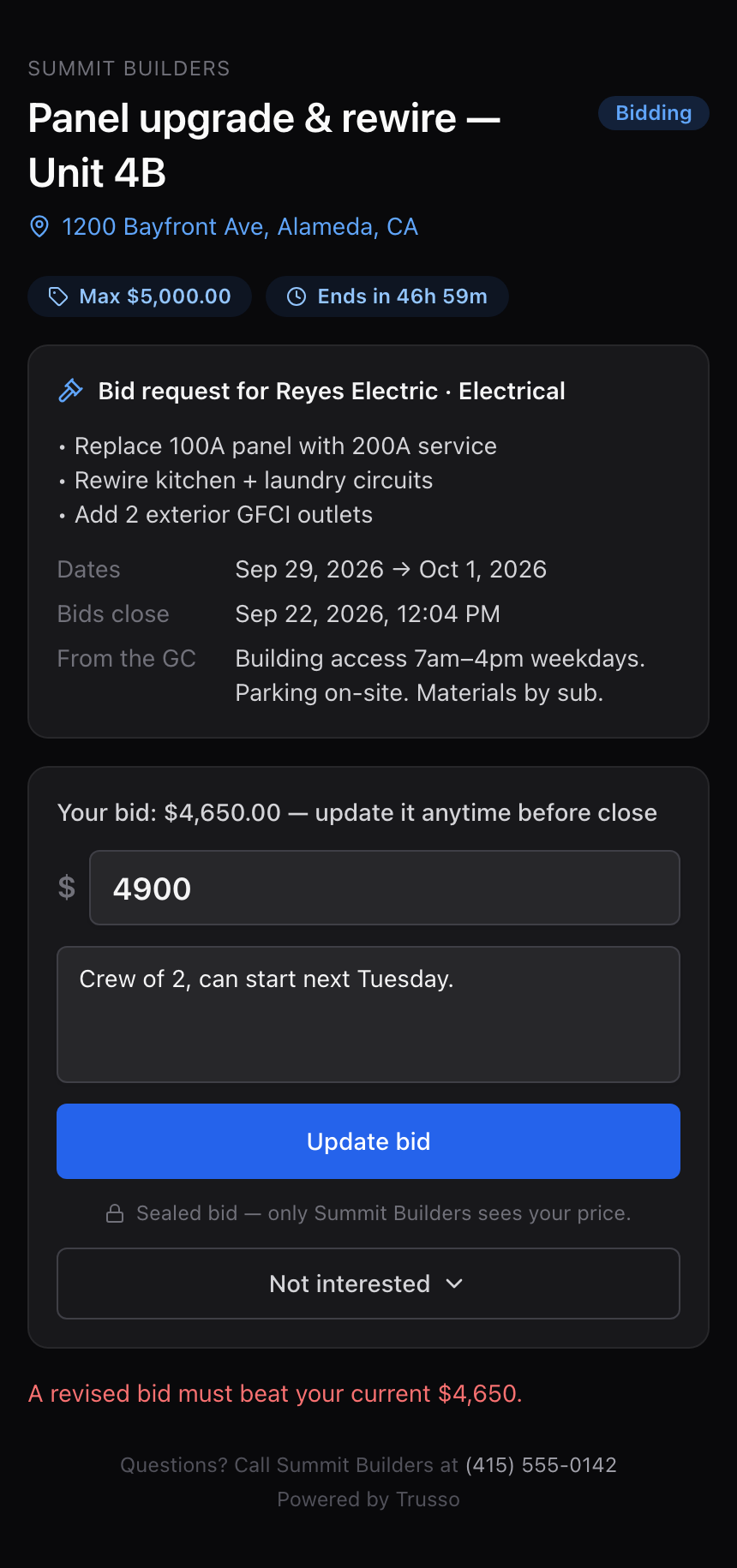
The sub enters a price and an optional note. They can update their bid any time before close — but only downward: this is a reverse auction, and the system rejects a revision that doesn't beat their own standing bid. Not interested? They can pass, with an optional reason you'll see.
Awarding — and what winners and losers see
Award any bid while the auction is open, or after the timer closes bidding. Awarding creates a confirmed work order at the bid price — their bid is their commitment, so there's no second confirmation step — and the job's cost updates to match. The other bidders get a courteous close-out that never reveals the winner or the winning amount.
Frequently asked questions
Can subs see each other's bids?
Never. Bids are sealed — each sub only ever sees their own price. Only you see all bids, and losing subs are never told the winning amount or who won.
What happens when the timer runs out?
Bidding stops and you're notified to review the sealed bids. You can still award any of them after the close, extend the deadline while it's open, or re-broadcast.
Do I have to bid out the whole job?
No — pick specific tasks when you broadcast, and the winner is assigned exactly those tasks. Leaving the selection empty bids out the whole job.
Can I still assign a sub directly?
Yes. Direct assignment from the Subs card stays available even while an auction is open — awarding the auction is just one way to fill the job.
Still stuck?
Raise an issue and our support team will get back to you — or jump in and try it yourself.